Catch risky changes before deploys
When a dependency suddenly wants more access, the change shows up in review instead of surfacing later as a surprise in production.
 PermJS
Dependency permissions for Node.js
Follow us
PermJS
Dependency permissions for Node.js
Follow us
Per-package permissions for Node.js
PermJS lets you see what each dependency can do. Allow what you trust, block the rest.
npm install permjs
perm setup
perm init
node --require permjs/enforce app.js
Use perm install <package> for guarded installs, and perm verify in CI.
When a dependency suddenly wants more access, the change shows up in review instead of surfacing later as a surprise in production.
Instead of granting every package the same ambient access, decide what each dependency is allowed to touch and keep that decision in the repo.
Files, network, environment access, process control, native addons, and dynamic code paths are where package risk gets real.
Product
Analyze your dependency tree and surface the capabilities each package actually uses.
Save the result in perm-lock.json so dependency trust becomes part of normal code review.
When a package steps outside the policy, PermJS blocks the access instead of hoping the dependency behaves.
Console-first workflow
perm setup reads your package-manager lockfile, fetches signed fingerprints when available, and falls back to local analysis when needed.
Review detected capabilities, source traces, package scripts, and granular grants before saving the lockfile.
Run with enforcement locally, intercept package-manager installs with preguard flows, and fail CI when dependencies drift from the lockfile.
Start here
# install the CLI
npm install permjs

# generate and review a lockfile for this project
perm setup

# install one-time shell integration so guarded shims activate automatically
perm init

# run your app with enforcement
node --require permjs/enforce app.js

# verify the lockfile and dependency state in CI
perm verify
Prefer perm install <package> when adding dependencies. After shell integration is active, normal package-manager installs inside a protected project can be intercepted automatically.
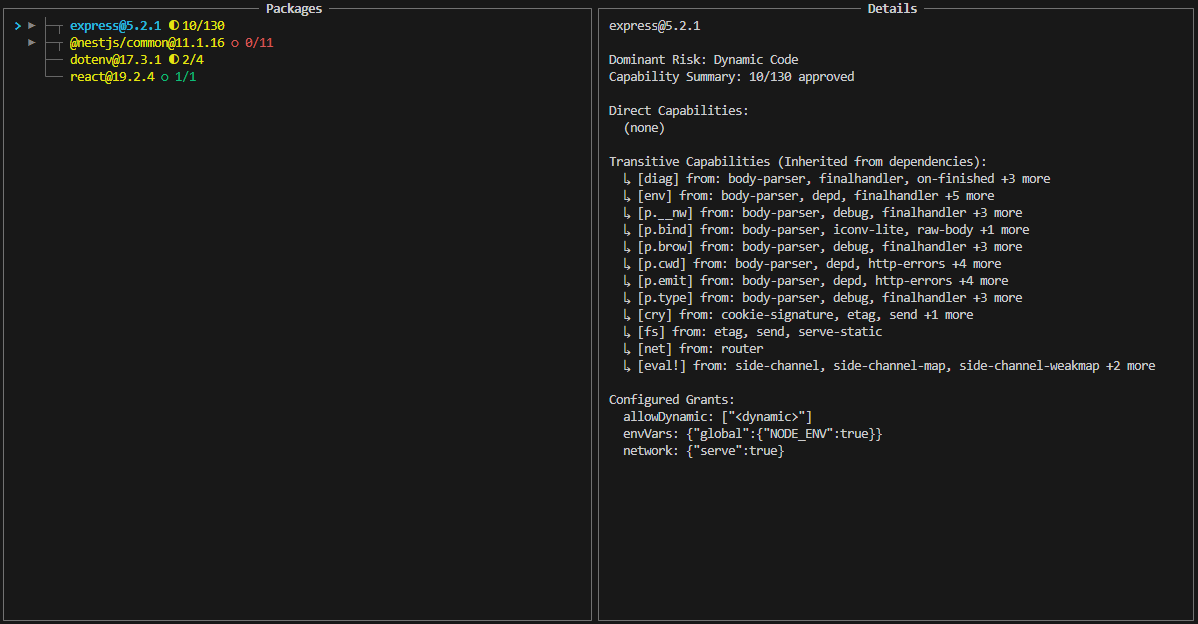
Package review
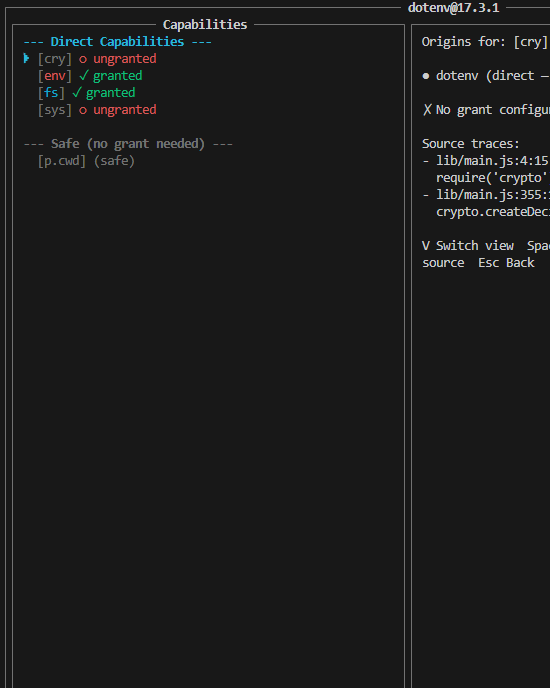
PermPM gives reviewers source context for capability usage, so package risk is not just a red flag with no explanation attached.
You can see where environment access comes from, which script wants process control, where dynamic imports appear, and what an override would actually approve.
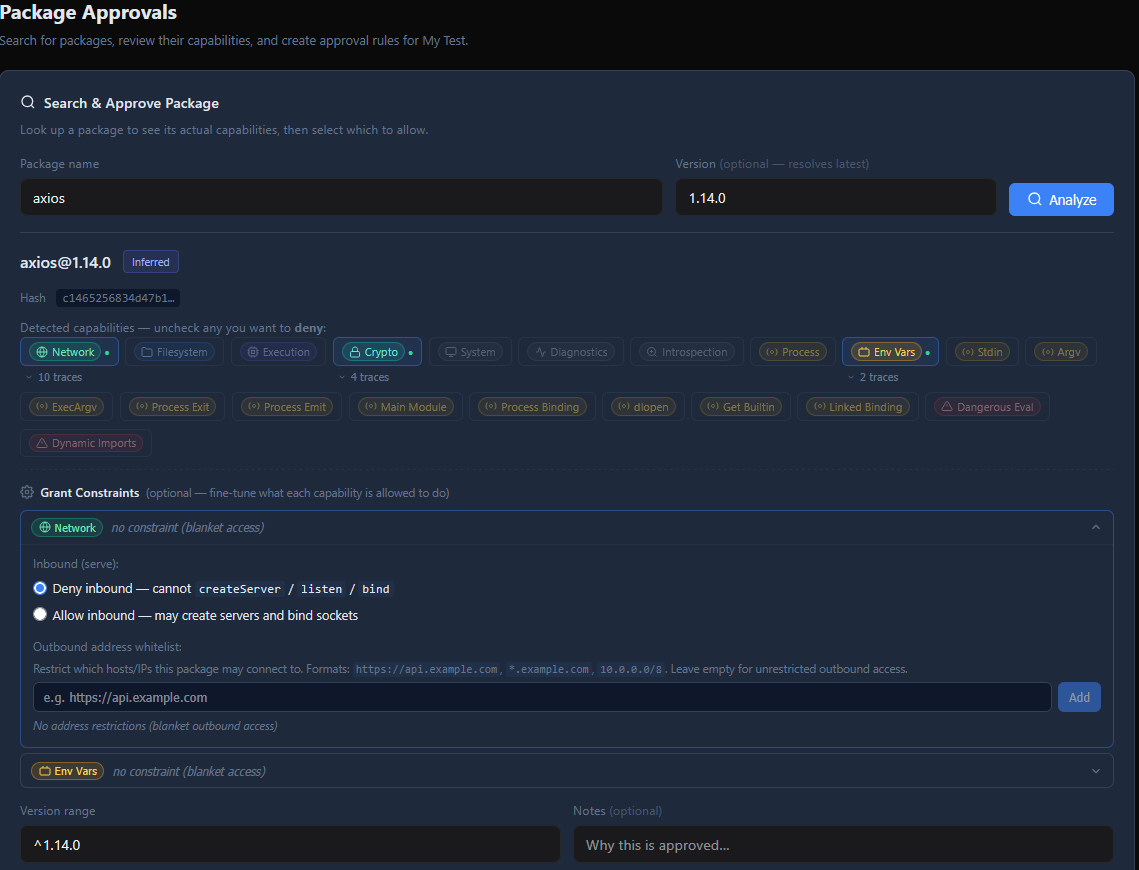
Organizations
Approve name@range once and reuse that decision across projects.
If a new version starts asking for more access, the change is obvious instead of buried in a transitive update.
Allow the one thing you mean to allow without giving the whole package a wider pass.
Protect sensitive policy changes with step-up MFA and signed workflows.
Trust model
Fingerprint documents are signed by online keys chained to a root key, so the CLI can verify package analysis before trusting it.
Teams can publish org keys, sign approvals and overrides, and require clients to verify those signatures before applying policy.
The trust decision happens on the client, not by assuming the service or transport path is honest.
Deeper technical section
PermPM downloads package tarballs, parses JS and TS with an AST-based analyzer, tracks lexical scope, and records capability traces, file hashes, lifecycle scripts, and dependency relationships without executing package code.
PermJS enforces per-package boundaries around module loading, filesystem, network, process access, environment variables, eval-like execution, dynamic imports, native addons, and blocked exports.
Developers generate or update perm-lock.json, review changes in pull requests, let PermPM supply signed fingerprints and org policy, and run perm verify in CI to catch drift before deployment.
Follow us for updates
PermJS is still in pre-release. Join the list for product updates, early access notes, and new docs as the CLI, registry, and org workflows get closer to launch.